By default the owner of the 🔑 Licenses is the E-mail used for the purchase
(⚠️ If you used PayPal to buy our app, this will be your PayPal E-mail)
Use our ✔️ Check Payment E-mail tool to check if you don't remember your E-mail
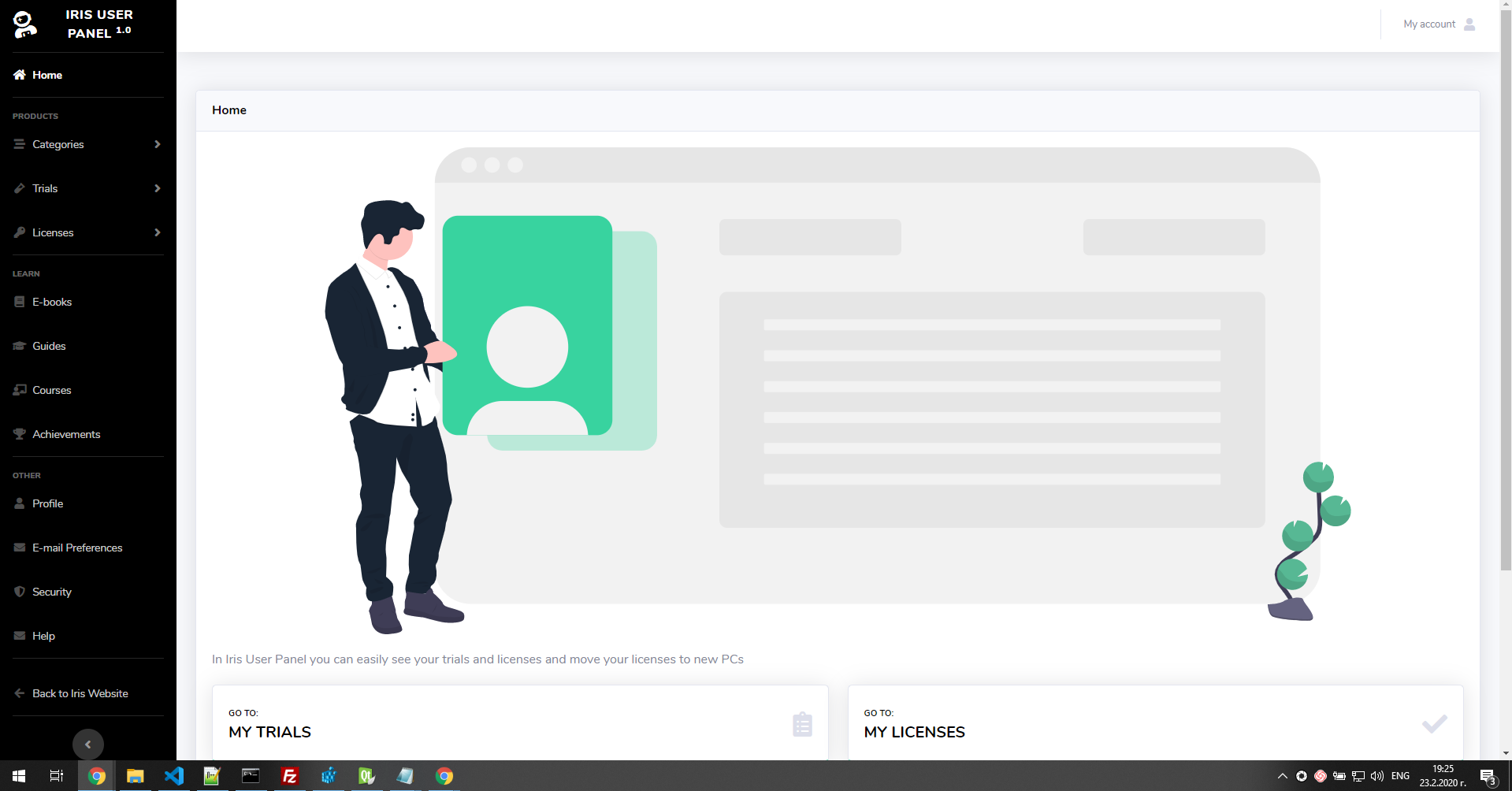
When you Register into the User Panel you can see all your 🧪 Trials and 🔑 Licenses from the menus
If you don’t see some or all of your 🧪 Trials and 🔑 Licenses the reason is
- That you have bought your 🔑 License with different E-mail
- By 🔑 License I mean the activation code
- The 🧪 Trial is not connected to your User Panel E-mail
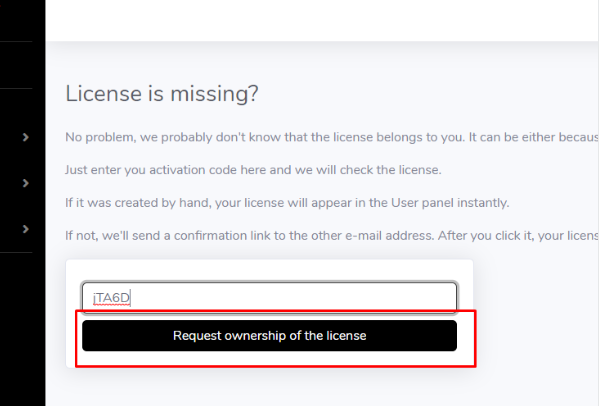
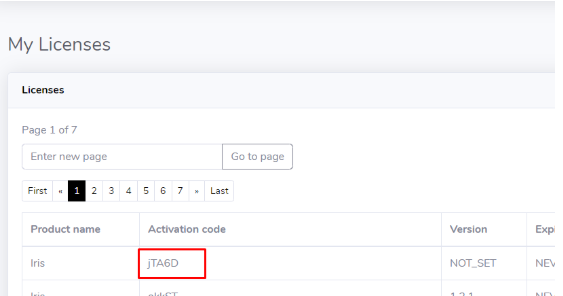
You can get the 🧪 Trials and 🔑 Licenses into your account from the Request Ownership menu
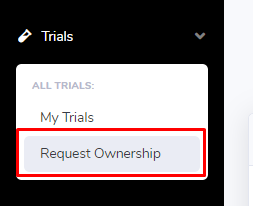 or
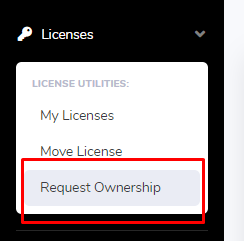
Or from the 🧪 Trials or 🔑 Licenses pages
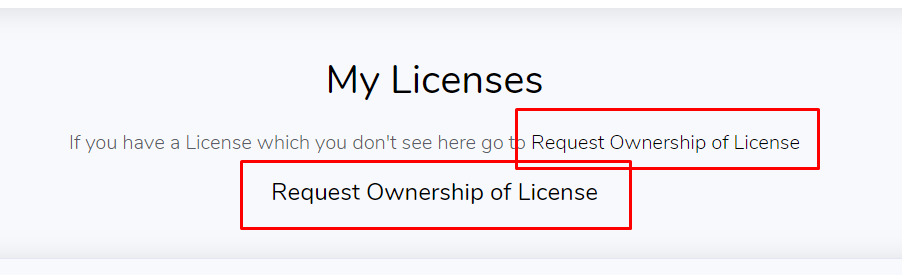
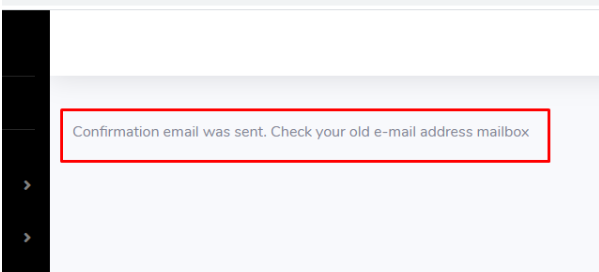
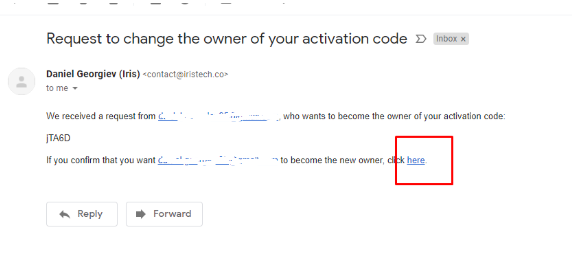
From here enter your 🧪 Trial ID or the 🔑 License code and you will receive a confirmation e-mail to transfer the ownership
You will receive the confirmation on the e-mail you used for the purchase, not the e-mail used to login into the User Panel
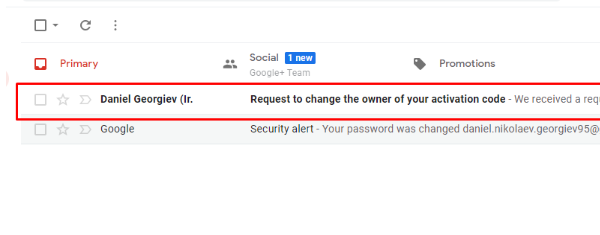
Find the “Request to change the owner of your activation code” E-mail
Search your inbox for
- E-mail from contact@iristech.co
- If you use Gmail click the link below
- Search from:contact@iristech.co
- or “Request to change the owner of your activation code”
- If you use Gmail click the link below
- Search “Request to change the owner of your activation code”
- in case of Trial it will be
- “Request to change the owner of your trial”
This is made for your security
Otherwise someone can steal your 🔑 Licenses by just guessing the activation code
This is why 📧 E-mail confirmation is required for each request to change the 👤 license owner
💁 Example
- You have registered into the User Panel with the e-mail john@gmail.com
- You want to get your license connected to this account
- You submit request ownership request from this account via the User Panel
- You have paid for Iris from the e-mail john.doe1989@gmail.com
- You will receive the confirmation to this e-mail
- After you click the confirmation link the code will go into your profile to john@gmail.com
- The code is now into your account
Answers also
- How to Request Ownership of Trial or License
- I don't see the license in my user panel
- I don't see the activation code in my profile
- Want to move this CODE license to the new pc, but it's not on my iris user panel to move
- I have registered on the portal but I cannot see any of the licenses
- Thats the email that gets charged but not the account that has the licenses. I don’t know what the log in for the licenses is
- hi - same situation here as above - To licence a new computer I tried to register at the user panel with my email but the system didn't recognize my email address. How do I get a new password? or even register again
- could you link this license to my user email
- i want to move my license to new laptop. Went to the Iris Control Panel but it says doesn't have any license, even when i enter the same, which is working. Could you help here? 2022.05.01
E-mail answer
- You need to get the licenses to this account by going to Request Ownership see this
- If you don't know your activation codes or the e-mail which you used to buy Iris we also have no way to find them
- But if you know your activation code you will receive the verification e-mail to the inbox of the e-mail account you used for the purchase